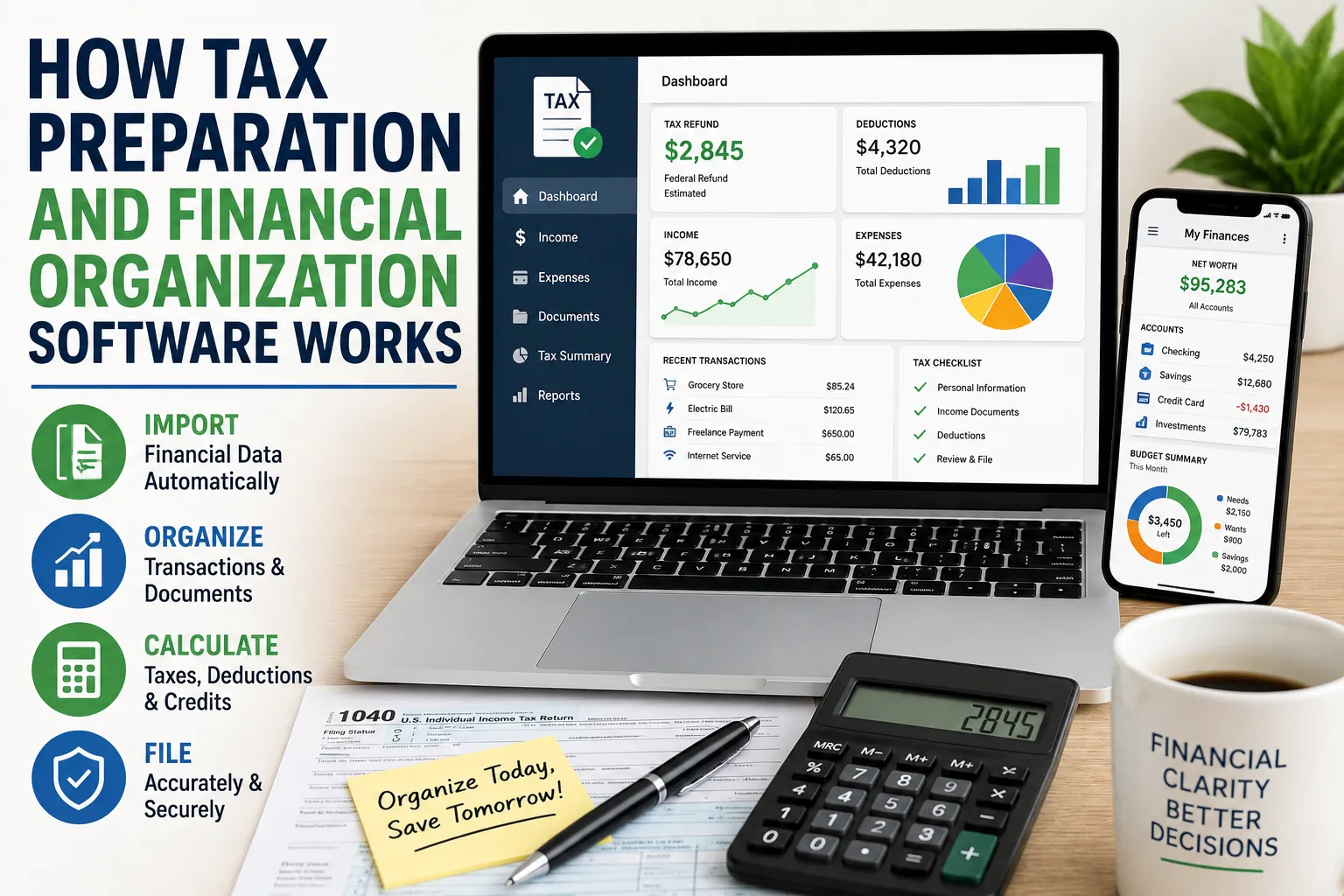
How Tax Preparation and Financial Organization Software Works
Managing taxes and household finances can become complicated surprisingly quickly.
Income may come from several sources. Bank accounts, credit cards, investments and loans can generate dozens of transactions each month. Receipts accumulate, financial documents arrive by email, and tax forms may come from employers, banks, investment platforms and other institutions.
Tax preparation and financial organization software is designed to bring much of this information into one place.
These tools can help users organize financial records, categorize transactions, estimate tax obligations, prepare returns and identify information that may be relevant to deductions or credits. They can also reduce the amount of manual data entry involved in routine financial tasks.
However, financial software is not a substitute for understanding your finances or getting professional advice when a tax situation becomes complicated. The quality of the results depends heavily on the information entered, the software’s capabilities and the user’s circumstances.
For a broader overview of how these tools fit into an overall tax strategy, see the Complete Guide to Personal Taxes and Tax Planning.
What Is Tax Preparation Software?
Tax preparation software is designed to help individuals or businesses prepare and, in some cases, submit tax returns.
Depending on the product, it may help users:
- Enter income information
- Import tax documents
- Calculate taxable income
- Identify potentially applicable deductions
- Apply available tax credits
- Calculate estimated tax liability
- Review the return for common errors
- Prepare required forms
- Submit the return electronically where supported
Some products are designed for relatively straightforward individual returns, while others offer more advanced features for people with investments, rental properties, self-employment income or other complex financial situations.
What Is Financial Organization Software?
Financial organization software focuses more broadly on managing money throughout the year.
It may connect to financial accounts and help users track:
- Bank balances
- Credit cards
- Loans
- Investments
- Income
- Expenses
- Recurring bills
- Savings goals
- Net worth
The goal is generally to make financial information easier to understand and manage.
While tax software is often used heavily during tax-filing periods, financial organization tools can be useful throughout the year.
How These Two Types of Software Work Together
Tax preparation and financial organization software can serve different purposes, but they can complement each other.
Financial organization software helps create an ongoing record of what happened financially.
Tax software then uses relevant financial information to help prepare a tax return.
For example, someone who tracks freelance income and business expenses throughout the year may have an easier time preparing their tax return because the underlying records are already organized.
The important distinction is that not every financial transaction is automatically relevant to taxes.
A budgeting app might categorize a restaurant purchase as “Dining,” but that does not mean the expense has tax significance.
Tax treatment depends on the applicable rules and the person’s circumstances.
Connecting Bank Accounts
Many modern financial applications allow users to connect bank accounts and other financial institutions.
Once connected, the software may retrieve transaction information through supported data connections.
This can eliminate the need to manually enter every transaction.
For example, instead of recording 100 purchases individually, a financial application might automatically import them and allow the user to categorize them.
Users should still review imported information because automated connections can contain missing, duplicated or incorrectly categorized transactions.
Automatic Transaction Categorization
One of the most useful features of financial organization software is automatic categorization.
A transaction might be classified as:
- Groceries
- Housing
- Transportation
- Utilities
- Entertainment
- Insurance
- Healthcare
- Education
- Debt payments
- Income
The software may use the merchant name, transaction history and other information to make an educated guess about the category.
For example, a transaction from a supermarket may automatically be categorized as groceries.
But automated categorization is not always correct.
A purchase from a retailer could contain household supplies, business equipment or other items that need a different classification.
That is why periodic review remains important.
Financial Dashboards Turn Transactions Into Information
Raw transactions are difficult to interpret.
A dashboard can turn them into summaries, charts and reports.
Instead of seeing hundreds of individual transactions, a user might see:
- Monthly spending
- Income versus expenses
- Savings rate
- Debt balances
- Investment balances
- Cash flow
- Net worth
This can make financial patterns easier to identify.
For example, someone may discover that several small recurring subscriptions add up to a significant annual expense.
Budgeting Features Help Plan Future Spending
Some financial organization tools include budgeting functionality.
A user can establish spending targets for categories such as:
- Food
- Housing
- Transportation
- Entertainment
- Shopping
- Travel
- Savings
The software can then compare actual spending with the planned budget.
This turns financial management from simply recording what happened into planning what should happen next.
Cash Flow Tracking Shows Where Money Goes
Cash flow is the movement of money into and out of a household.
A financial organization tool can help users compare:
Money coming in
with
Money going out.
For example:
| Category | Monthly Amount |
|---|---|
| Income | $5,000 |
| Housing | $1,500 |
| Food | $600 |
| Transportation | $450 |
| Utilities | $300 |
| Debt payments | $500 |
| Other expenses | $850 |
| Remaining cash | $800 |
The exact figures are illustrative, but the principle is important.
A household can have a reasonable income and still experience financial pressure if too much money leaves the account before the next paycheck.
Recurring Expense Detection
Some applications can identify recurring transactions.
These may include:
- Streaming subscriptions
- Insurance premiums
- Software subscriptions
- Gym memberships
- Phone bills
- Loan payments
- Utilities
Seeing recurring expenses in one place can help users identify costs that might otherwise be forgotten.
It can also help with forecasting future cash flow.
Bill Tracking Can Reduce Missed Payments
Some financial tools allow users to record or monitor upcoming bills.
A bill calendar can show when payments are expected.
This can be particularly useful when a household has multiple credit cards, loans, utilities and subscription services with different due dates.
The software may send reminders, but users should not assume every application will detect every bill automatically.
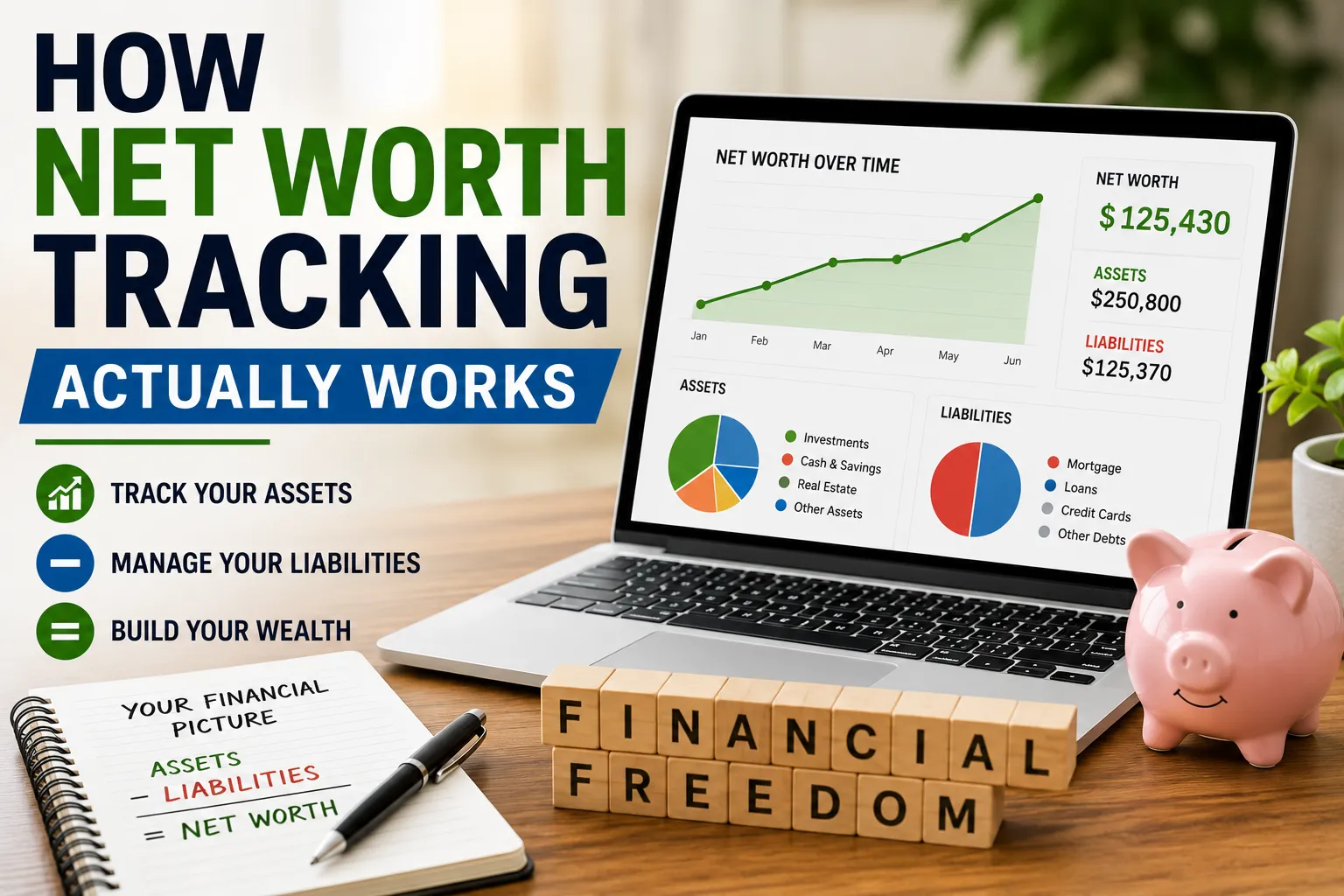
Net Worth Tracking
Another useful feature is net worth tracking.
A simplified calculation is:
Assets − Liabilities = Net Worth
Assets may include:
- Cash
- Savings
- Investments
- Retirement accounts
- Property
Liabilities may include:
- Credit cards
- Student loans
- Car loans
- Mortgages
- Personal loans
Net worth provides a broader picture than a bank balance because it considers both what a person owns and what they owe.
How Tax Software Imports Information
Tax preparation software can reduce manual entry by importing information from supported sources.
Depending on the country and software, this may include information from:
- Employers
- Banks
- Investment platforms
- Retirement accounts
- Government tax systems
- Previous tax returns
The exact forms and connections vary by jurisdiction.
Users should always review imported information against their original tax documents.
An imported figure that looks plausible can still be incorrect or incomplete.
The Software Uses Tax Rules to Calculate Results
Once financial information is entered, tax software applies programmed tax rules to calculate the return.
The software may determine things such as:
- Taxable income
- Applicable deductions
- Tax credits
- Estimated tax
- Amount owed
- Potential refund
Tax systems can be complicated, and software needs to account for numerous rules and exceptions.
This is one reason reputable tax software is regularly updated as tax laws change.
Tax Questions Guide Users Through the Process
Rather than requiring users to know every tax form themselves, tax preparation software often uses a question-and-answer format.
For example, the software might ask whether the user:
- Changed jobs
- Had investment income
- Owned a home
- Operated a business
- Made charitable contributions
- Paid education expenses
- Received certain government benefits
The answers help determine which sections of the return may be relevant.
This can make tax preparation more accessible to people who are unfamiliar with tax forms.
Deductions and Credits Are Not the Same
Tax software may ask questions designed to identify deductions and credits.
These concepts are different.
A deduction generally reduces the amount of income subject to tax.
A tax credit generally reduces the tax calculated under the applicable rules.
The value of each depends on the individual’s circumstances and the relevant tax system.
For a deeper explanation, see the Complete Guide to Tax Deductions and Credits.
Software can help identify possibilities, but users should not assume that every expense automatically qualifies.
Receipt and Document Management
Some financial applications allow users to upload or store financial documents.
These might include:
- Receipts
- Invoices
- Tax forms
- Statements
- Donation records
- Business expenses
- Property documents
Organizing documents digitally can make it easier to locate supporting records later.
It can also reduce the risk of losing important paperwork.
Optical Character Recognition Can Reduce Data Entry
Some applications use document-scanning technology to extract information from receipts and forms.
A user may photograph a receipt, for example, and the software can attempt to identify:
- Merchant
- Date
- Amount
- Category
This can save time, but extracted information should still be reviewed.
A blurry image or unusual receipt format can lead to errors.
Financial Software Can Track Investments
More advanced financial organization platforms may connect to investment accounts.
They can potentially show:
- Portfolio value
- Asset allocation
- Investment performance
- Dividends
- Interest
- Capital gains
This information can be useful for understanding overall financial health.
For tax purposes, however, investment transactions can be more complicated than simply looking at the current portfolio value.
Tax calculations may depend on factors such as purchase price, sale price, holding period and other details.
For more detail on these issues, see how investment income and capital gains are taxed.
Self-Employed Users Have Additional Needs
People who earn income independently may have more complicated record-keeping requirements.
Depending on the jurisdiction and type of activity, they may need to track:
- Business income
- Business expenses
- Invoices
- Contractor payments
- Equipment purchases
- Travel
- Home-related expenses
- Estimated tax payments
Financial organization software can help separate business transactions from personal transactions.
That separation can make bookkeeping and tax preparation easier.
Keep Business and Personal Finances Organized
Mixing personal and business transactions can create confusion.
A dedicated business account can make it easier to identify business revenue and expenses.
Even when a separate account is not legally required, keeping financial records organized can simplify bookkeeping.
The specific requirements depend on the business structure and local regulations.
Financial Software Can Estimate Taxes Throughout the Year
Tax preparation does not have to begin when filing season arrives.
Some software allows users to estimate their tax position during the year.
This can be especially useful for people with:
- Freelance income
- Investment income
- Rental income
- Multiple jobs
- Irregular earnings
An estimate can provide an opportunity to adjust savings or estimated payments before a large tax bill arrives.
For a broader year-round approach to tax planning, see how to plan taxes throughout the year.
Tax Software Can Flag Potential Errors
Many tax applications perform automated checks before a return is submitted.
They may look for:
- Missing fields
- Inconsistent information
- Mathematical errors
- Invalid entries
- Potentially incomplete forms
These checks can catch common mistakes.
However, they cannot guarantee that a return is correct.
Software generally works with the information it receives. If the underlying information is wrong or incomplete, the final result can also be wrong.
Security Is a Major Consideration
Financial software handles highly sensitive information.
Depending on the product, that could include:
- Bank account information
- Income data
- Tax identification information
- Investment details
- Addresses
- Transaction histories
Users should therefore pay close attention to security practices.
Look for features such as:
- Strong account authentication
- Multi-factor authentication
- Encryption
- Secure account connections
- Clear privacy policies
- Account activity notifications
Avoid sharing financial passwords or sensitive information through insecure channels.
Understand How Account Connections Work
When an application connects to a financial institution, users should understand what information is being accessed and how the connection works.
Some services use secure data-sharing systems that allow applications to receive financial information without directly storing a user’s banking password.
The technology and arrangements vary.
Before connecting an account, review the permissions and privacy information provided by the service.
Cloud Storage Creates Convenience and Risk
Cloud-based software allows users to access financial information from multiple devices.
That convenience comes with security considerations.
Protect accounts with strong, unique passwords and multi-factor authentication where available.
Also be careful when accessing sensitive financial information on shared or public devices.
Free Software Isn’t Always Free in Practice
Some financial applications offer free versions, while others use subscriptions or paid tiers.
When comparing products, look beyond the advertised price.
Consider:
- Features included
- Account limits
- Import capabilities
- Tax filing fees
- Support options
- Data export options
- Advertising
- Upgrade requirements
A low-cost product may become expensive if important features require a premium plan.
Check Data Export Options
Being able to export your financial information can be valuable.
Look for options to download information in common formats where available.
Data portability can make it easier to:
- Switch software
- Maintain personal records
- Analyze financial history
- Share information with an accountant
A tool that makes it difficult to retrieve your own financial information may be less convenient over the long term.
Consider How Long the Software Stores Your Data
Financial records can contain years of sensitive information.
Before signing up, understand:
- What data is stored
- How long it is retained
- Whether deleted information is actually removed
- Whether data is shared with third parties
- How the company uses financial information
Privacy policies can be lengthy, but financial applications deserve more scrutiny than ordinary consumer apps because of the sensitivity of the data involved.
Don’t Assume Automation Means Accuracy
Automation is one of the biggest advantages of financial software, but it is also one of its biggest limitations.
An application can automatically import a transaction, categorize it and display it on a dashboard.
That does not guarantee that every step was correct.
Review important information regularly, particularly before filing taxes or making significant financial decisions.
Reconcile Your Records
Reconciliation means comparing your financial records with statements from the financial institution.
For example, you might compare the balance and transactions in your budgeting software with your bank statement.
Doing this regularly can reveal:
- Missing transactions
- Duplicate transactions
- Incorrect categories
- Unexpected charges
- Connection problems
Regular reconciliation improves the reliability of the financial information you’re using.
Keep Original Tax Documents
Even when tax software imports information automatically, keep copies of important source documents according to applicable record-keeping requirements.
Examples may include:
- Wage statements
- Interest statements
- Investment statements
- Donation receipts
- Business invoices
- Expense records
The exact retention requirements vary by jurisdiction and situation.
Digital organization should complement, not replace, responsible record keeping.
Compare Software Based on Your Situation
The “best” financial software is not necessarily the product with the longest feature list.
A person with a simple salary and a few bank accounts may need only basic budgeting and tax preparation.
Someone with a business, investments and rental income may require more sophisticated functionality.
Consider:
For Simple Finances
Look for:
- Basic budgeting
- Account aggregation
- Expense tracking
- Simple tax preparation
- Basic reporting
For Complex Finances
Look for:
- Investment tracking
- Business accounting
- Detailed tax support
- Document management
- Advanced reporting
- Multiple income sources
Don’t Pay for Features You Will Never Use
More functionality does not automatically mean more value.
If you only need to track household expenses and prepare a straightforward tax return, an expensive professional accounting platform may be unnecessary.
Choose software based on the problems you actually need to solve.
Use Software to Identify Financial Patterns
One of the greatest benefits of financial organization software is not the data itself.
It is what the data reveals.
After several months, you may discover:
- Housing consumes more income than expected
- Food spending rises during certain periods
- Subscriptions have accumulated
- Debt payments are limiting cash flow
- Income is more variable than expected
- Savings are inconsistent
These insights can help turn financial records into better decisions.
Set Financial Goals
Many financial applications allow users to establish goals.
These might include:
- Building an emergency fund
- Paying off credit cards
- Saving for a vacation
- Making a home deposit
- Buying a vehicle
- Investing regularly
A goal can give financial tracking a purpose.
Instead of simply watching a bank balance, users can see whether their current behavior is moving them toward a specific objective.
Review Your Finances Regularly
Financial software works best when it becomes part of a routine.
A monthly review might include:
- Checking account balances
- Reviewing transactions
- Correcting categories
- Comparing spending with the budget
- Reviewing upcoming bills
- Checking debt balances
- Reviewing savings progress
- Checking investment accounts
- Filing important documents
- Updating financial goals
The process does not need to take hours.
Consistency is more important than complexity.
Use Software as a Decision-Making Tool
Financial software is most useful when it changes behavior.
For example, seeing that dining expenses are significantly above the monthly target can prompt a household to adjust spending.
Seeing debt balances decline can reinforce a repayment strategy.
Seeing savings grow can encourage continued contributions.
The software itself does not improve finances.
The decisions made using the information do.
When Professional Help Makes Sense
Software can handle many routine financial tasks, but certain situations may justify professional advice.
Consider consulting a qualified tax or financial professional when dealing with issues such as:
- Complex business structures
- Significant investment transactions
- Multiple properties
- International income
- Inheritance-related matters
- Complicated tax situations
- Major financial decisions
Software is a tool, not a replacement for professional judgment.
A Simple Way to Get Started
Someone who has never used financial organization software can begin with a straightforward process.
Step 1: Gather Your Accounts
List your bank accounts, credit cards, loans and investments.
Step 2: Choose the Right Tool
Select software based on your actual financial needs.
Step 3: Connect Accounts Carefully
Review the permissions before linking financial institutions.
Step 4: Categorize Transactions
Check automated categories and correct mistakes.
Step 5: Create a Basic Budget
Identify essential spending, discretionary spending and savings.
Step 6: Organize Documents
Create a secure system for storing important financial and tax records.
Step 7: Review Monthly
Use the software to identify trends and make adjustments.
Step 8: Prepare for Tax Filing Early
Don’t wait until the deadline to discover missing documents or unclear transactions.
The Real Value Is Financial Clarity
Tax preparation and financial organization software can turn a pile of statements, receipts and transactions into a more understandable picture of your financial life.
The technology can import information, categorize transactions, calculate figures, organize documents and automate repetitive tasks. It can also make it easier to see spending patterns, track goals and prepare for tax filing.
But automation has limits.
A software program does not know every detail of your financial circumstances, and an automatically imported transaction is not necessarily a correctly categorized or tax-deductible expense. Users still need to review important information and understand what the software is doing.
Make the Software Work for You
The most effective approach is to treat financial software as a financial organization system rather than a financial autopilot.
Use it to gather information, reduce repetitive work, spot patterns and stay organized. Review the results regularly, protect sensitive data and keep the original documents that support important financial and tax information.
When used consistently, the biggest benefit may not be faster tax filing. It may be having a clearer picture of where your money comes from, where it goes and what needs to change to reach your financial goals.